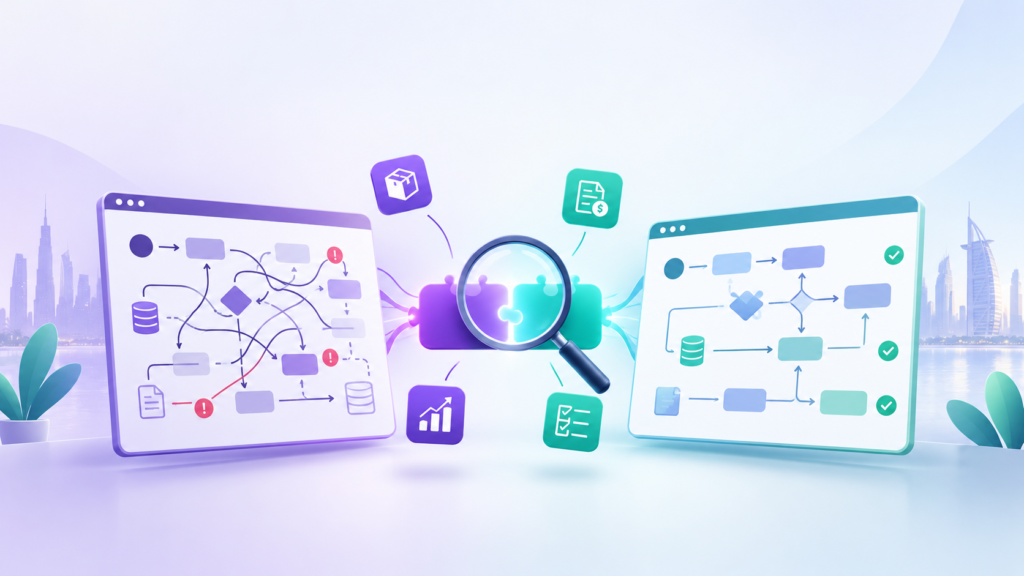
Implementing an ERP system is a major investment for any business. The goal is not simply to introduce new software but to improve how different departments operate, share information, and make decisions. When implemented correctly, Odoo ERP can help businesses manage sales, accounting, inventory, purchasing, manufacturing, and other operations through a unified platform.
However, an Odoo implementation does not automatically guarantee better business performance. Many companies encounter operational difficulties because of poor planning, unclear requirements, unsuitable configurations, or a lack of employee preparation.
Some businesses focus too heavily on software features without first understanding their existing workflows. Others rush into implementation, customize everything, or underestimate the importance of testing and data preparation.
These decisions can result in delays, additional costs, inaccurate reporting, and low user adoption.
Understanding these challenges before starting an ERP project can make a significant difference. In this article, we explore ten common Odoo implementation mistakes and practical ways businesses can avoid them.
1. Starting Implementation Without Proper Business Analysis
One of the most common mistakes is starting Odoo implementation without conducting a detailed assessment of existing business operations.
Every organization has its own workflows, approval structures, reporting requirements, and operational challenges. Implementing software without understanding these requirements can result in a system that does not properly support day-to-day activities.
For example, a distribution company may have complex purchasing procedures, multiple warehouses, supplier approval processes, and different inventory valuation requirements. Simply installing the Sales and Inventory modules will not address these operational needs.
How to avoid it:
Start with a comprehensive business analysis before configuring Odoo. Identify existing processes, understand departmental requirements, document operational challenges, and define what the business expects from the ERP system.
A proper gap analysis can also help identify differences between current business processes and the workflows that need to be established in Odoo.
2. Choosing the Wrong Odoo Modules
Odoo offers a wide range of applications covering different business functions. However, activating every available module does not necessarily make an ERP implementation more effective.
Some businesses select modules based on recommendations or general assumptions without considering whether those applications match their actual operational requirements.
For example, a service-based company may need CRM, Sales, Project, Timesheets, and Accounting, while a retail business may require Point of Sale, Inventory, Purchase, and Accounting.
Selecting unnecessary applications can increase system complexity, create additional configuration requirements, and make employee training more difficult.
How to avoid it:
Evaluate each department’s requirements before selecting Odoo modules. Consider the following:
- Which business activities need to be managed?
- Which departments need access to the system?
- What information needs to be shared between departments?
- Which processes should be automated?
- Are there existing applications that need integration?
Choose modules based on actual business requirements rather than the number of applications available.
3. Excessive Customization of Standard Odoo Features
Odoo provides standard functionality designed to support a wide range of business operations. However, some organizations immediately request custom development whenever they encounter a workflow that looks different from their existing procedures.
Although customization can address specific business requirements, unnecessary modifications can make an ERP system more complicated to maintain.
Excessive customization may also increase implementation costs, create upgrade challenges, and introduce dependencies on custom-developed functionality.
For example, a company might request a completely customized sales approval system when Odoo’s existing approval capabilities and configuration options could already meet its requirements.
How to avoid it:
Follow a standard-first approach.
Before developing custom functionality:
- Evaluate the available standard Odoo features.
- Review configuration options.
- Identify the actual business requirement behind the requested change.
- Determine whether the existing process needs improvement.
- Customize only when a genuine business requirement cannot be addressed effectively through standard functionality.
The objective should be to make Odoo work for the business without introducing unnecessary technical complexity.
4. Ignoring Existing Business Processes
Implementing ERP software without reviewing existing business processes can result in transferring old inefficiencies into a new system.
Many organizations assume that their current workflows should remain unchanged because employees are already familiar with them.
However, some existing procedures may involve unnecessary approvals, duplicate data entry, manual calculations, or disconnected departmental activities.
For example, a purchasing department might rely on several manual approval steps that delay procurement. Simply reproducing the same process in Odoo may digitize the workflow without actually improving it.
How to avoid it:
Review and evaluate existing business processes before implementation.
Use process mapping to understand how activities move between departments, identify unnecessary steps, and determine opportunities for improvement.
Where appropriate, redesign inefficient workflows before configuring them in Odoo.
The purpose of ERP implementation should be process improvement, not simply transferring existing procedures into new software.
5. Poor Data Migration and Data Preparation
Data migration is one of the most important stages of an ERP implementation. Businesses often underestimate the time and effort required to prepare their existing information before moving it into Odoo.
Migrating inaccurate, duplicated, incomplete, or outdated data can create problems across multiple departments.
For example, incorrect product records may affect inventory management, while inaccurate customer information can create issues with invoicing, sales reporting, and communication.
Similarly, incorrect opening balances can affect financial reporting and reconciliation.
How to avoid it:
Establish a structured data migration plan before transferring information into Odoo.
Important preparation activities include:
- Reviewing existing customer and supplier records.
- Removing duplicate entries.
- Standardizing product names and categories.
- Validating inventory quantities.
- Reviewing outstanding invoices and payments.
- Verifying opening accounting balances.
- Mapping existing data fields to the appropriate Odoo fields.
Before the final migration, perform a test migration and validate the imported information with the relevant departments.
Data accuracy should be treated as a business responsibility, not just a technical migration task.
6. Inadequate Employee Training and User Adoption
Even a properly configured ERP system can fail to deliver its expected value if employees do not understand how to use it.
Employees may resist new systems because they are comfortable with existing procedures or do not understand how the new software will affect their responsibilities.
Without appropriate training, users may enter incorrect information, follow outdated procedures, or develop workarounds outside the ERP system.
For example, warehouse employees who do not understand Odoo’s inventory operations may continue maintaining separate spreadsheets instead of recording stock movements directly in the system.
How to avoid it:
Develop a structured training plan for every department involved in the implementation.
Training should focus on actual job responsibilities rather than providing a general overview of Odoo.
Consider these activities:
- Conduct department-specific training sessions.
- Prepare standard operating procedures (SOPs).
- Provide practical exercises using real business scenarios.
- Assign internal key users or department representatives.
- Establish a support process for questions and issues.
Employee involvement should begin early in the implementation process, not just before the system goes live.
7. Skipping Proper Testing Before Go-Live
Moving directly from configuration to production without sufficient testing is another significant implementation mistake.
An ERP system connects multiple business functions. A problem in one workflow can affect other departments and create unexpected operational issues.
For example, a sales order may appear correctly in Odoo, but the related inventory movement, delivery operation, invoice, or accounting entries may not behave as expected.
Testing only individual applications is not enough. Businesses must also verify how complete workflows operate across departments.
How to avoid it:
Develop a structured testing strategy before the go-live date.
Testing should cover:
- Functional testing: Verify that individual features work according to business requirements.
- Integration testing: Check whether connected modules exchange information correctly.
- User acceptance testing (UAT): Allow actual users to test the system using realistic business scenarios.
- Data validation: Confirm that migrated information is accurate.
- Security testing: Verify user permissions and access restrictions.
- End-to-end testing: Test complete business processes from beginning to completion.
Resolve critical issues before production deployment and obtain approval from relevant department representatives.
8. Incorrect User Access Rights and Approval Workflows
User permissions are an important part of ERP governance. Giving employees excessive access or failing to establish appropriate approval structures can create operational and financial risks.
For example, an employee responsible for entering supplier invoices may not need unrestricted access to modify accounting settings or approve payments.
Similarly, businesses with multiple departments may require approval workflows for purchases, expenses, discounts, or other sensitive activities.
How to avoid it:
Define user roles and responsibilities before configuring access rights in Odoo.
Consider implementing:
- Role-based access permissions.
- Department-specific access restrictions.
- Approval workflows for sensitive transactions.
- Separation of responsibilities where appropriate.
- Regular access reviews.
- Appropriate controls over financial and administrative operations.
The objective is to give employees the access they need while maintaining proper business controls.
9. Lack of Clear Project Scope and Implementation Timeline
ERP implementation projects involve multiple activities, stakeholders, and dependencies. Without a clearly defined project scope, businesses may experience continuous requirement changes, unexpected costs, and implementation delays.
For example, a project initially planned to cover accounting, sales, and inventory might gradually expand to include manufacturing, advanced reporting, additional integrations, and extensive customization.
While some requirements may be legitimate, introducing them without evaluating their impact can disrupt the implementation schedule.
How to avoid it:
Establish a clear project scope before implementation begins.
Document the following:
- Business objectives and expected outcomes.
- Departments and processes included in the project.
- Required Odoo modules.
- Customization and integration requirements.
- Project milestones and responsibilities.
- Testing and approval criteria.
- Budget and implementation timeline.
Use a structured change management process to evaluate new requirements and understand their impact before adding them to the project.
A phased implementation approach can also help businesses introduce functionality in manageable stages.
10. Treating Go-Live as the End of the Project
Many organizations consider ERP implementation complete once the system becomes operational.
In reality, go-live is an important milestone, but it is not the end of the ERP journey.
Employees may encounter new challenges during daily operations, reporting requirements may evolve, and certain workflows may require adjustments after real-world usage.
Without proper post-implementation support, even a successful deployment can gradually become inefficient.
How to avoid it:
Establish a post-implementation support and improvement plan.
This should include:
- Monitoring system performance and usage.
- Resolving functional and operational issues.
- Supporting employees during the transition.
- Reviewing business reports and KPIs.
- Identifying opportunities for workflow improvements.
- Planning necessary updates and future enhancements.
Regular system reviews help ensure that Odoo continues to support changing business requirements.
How to Ensure a Successful Odoo Implementation
Avoiding these mistakes requires more than selecting the right software or hiring a technical implementation team. Successful ERP implementation depends on aligning technology with business processes, organizational objectives, and employee requirements.
Businesses should follow a structured approach that covers the entire implementation lifecycle.
A practical Odoo implementation framework includes:
- Business Assessment: Understand existing operations, identify challenges, and define business objectives.
- Requirements Analysis: Document functional, technical, and reporting requirements for each department.
- Gap Analysis: Compare existing business processes with the standard capabilities of Odoo.
- Solution Design: Select appropriate modules, define workflows, and identify necessary configurations or customizations.
- Implementation and Configuration: Configure Odoo according to the approved business requirements.
- Data Migration: Clean, validate, and transfer existing business information.
- Testing and Training: Validate complete workflows and prepare employees to use the system.
- Go-Live and Support: Deploy the system, monitor operations, and continuously improve business processes.
Following these stages helps businesses reduce implementation risks and build an ERP environment that supports long-term operational growth.
Final Thoughts
Odoo ERP can provide significant operational value, but successful implementation requires careful planning, proper business analysis, and continuous collaboration between stakeholders.
The mistakes discussed in this article are not simply technical problems. Most are connected to business decisions, unclear requirements, inefficient processes, and inadequate project management.
Businesses that invest time in understanding their operational needs before implementation are better positioned to avoid unnecessary customization, reduce project risks, and achieve a system that genuinely supports their objectives.
The key is to approach ERP implementation as a business transformation initiative rather than just a software deployment.
Planning an Odoo ERP Implementation?
Before investing in an ERP system, make sure your business processes, requirements, and operational goals are properly understood.
At Meer Balaj, I provide Odoo ERP consulting, business analysis, process mapping, gap analysis, functional configuration, and implementation advisory to help businesses build ERP solutions aligned with their operational requirements.
Whether you are preparing for your first Odoo implementation or looking to improve an existing system, a structured assessment can help you identify the right approach.
Get in touch to discuss your Odoo ERP requirements and plan your implementation with confidence.